
Add try-on to your product page and turn browsers into buyers.
One button and a quick selfie. Customers see themselves wearing your product before they buy. No app installs, no AR gimmicks, no developer.
Free to start · No credit card · Live on your store in an afternoon
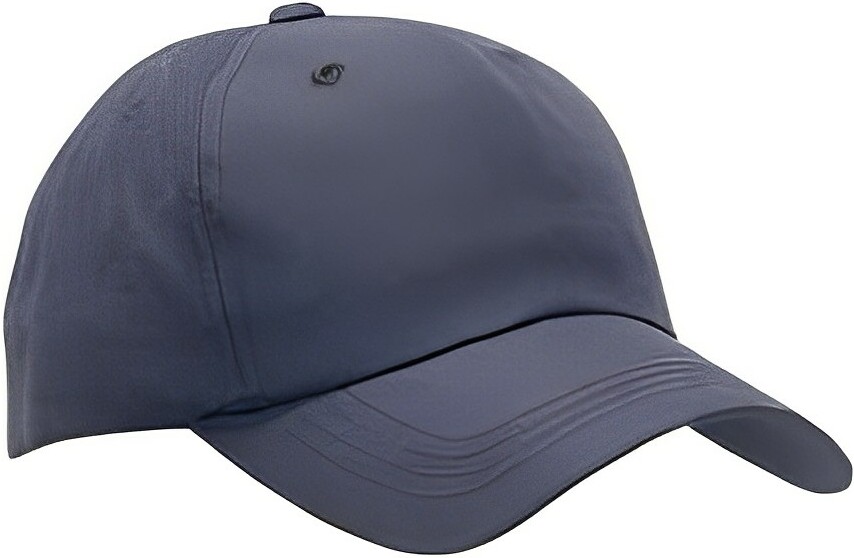
Brookhaven Field Cap
Six-panel washed cotton cap with a curved brim and adjustable brass slide buckle.
The whole loop, without leaving the product page
A shopper opens the try-on, uploads a selfie, and sees the exact product rendered on them. Same pattern for caps, wigs, and whatever comes next.
Buyers who see it on themselves, buy
Visual try-on collapses the "will this look right on me?" objection — the single biggest reason carts get abandoned and orders get returned.
Ranges based on industry benchmarks for visual commerce features. Your mileage will vary with category, AOV, and traffic quality.
From "interesting…" to "shut up and take my money" in 3 steps
1. Paste one line on your product page
A simple link or a one-script modal. Works on Shopify, WooCommerce, Magento, Wix, Squarespace, BigCommerce — or any HTML page you can edit.
2. Customer hits 'Try it on'
They snap or upload a selfie right in the page. Your product image is detected automatically — no per-product setup.
3. They see themselves in it
A photorealistic preview lands quickly. They share it, save it, and — far more often than before — they check out.
Tuned for what you sell
Each playbook is pre-configured for the way your category buys — copy, prompts, and demo bots included.
Try-on for high-AOV wig sellers
Let customers see themselves wearing your wigs before they buy. Photorealistic AI try-on for wig, topper, and lace-front brands. One-line install, no app required.
Try-on for headwear ecommerce
Let customers preview themselves in your caps, beanies, helmets, or hard hats in seconds. Drop-in try-on for streetwear, sports, and PPE brands.
Try-on for hair replacement & extensions
Let customers see themselves in your hair system, topper, or extensions before they buy. Built for hair-loss retailers, extension brands, and hair-system makers.
Sell something else? Spin up a custom try-on bot — same one-button install, your products.
Honestly easier than installing a chat widget
No app to approve. No theme surgery. Drop one script tag (or even a plain link) on your product page and you're live. Works the same on Shopify, WooCommerce, Magento, BigCommerce, Wix, Squarespace, and any custom storefront.
<!-- Anywhere on your product page -->
<script async
  src="https://askthe.bot/tryon.js"
  data-agent="your-agent-slug"></script>

<button
  data-tryon-trigger
  data-product-image="https://yourshop.com/cap.jpg"
  data-product-label="Brookhaven Field Cap"
  data-product-url="https://yourshop.com/products/cap">
  Try it on
</button>
Your product photos work hard. Make them work for every customer.
Free to start. Live on your store today. Cancel any time — but you won't.